A lead retrieval service lets exhibitors scan attendee badges at a trade show and receive the attendee's registration details, their own qualifying notes and a follow-up owner for each lead. For organizers, the service is part of the exhibitor package. A good lead retrieval service passes six tests: data access and consent, devices, offline scanning, CRM delivery, pricing model and onsite support.
When lead retrieval runs on the same platform as registration and badging, each scan returns the attendee's verified registration record without a separate data handoff.
What is a lead retrieval service?
A lead retrieval service is the package an organizer offers around lead retrieval: the badge data connection, licenses, exhibitor onboarding, support and lead delivery. The service usually comes from the organizer and reaches every exhibitor at the show, because only the organizer's registration system holds the attendee data behind each badge.
How a badge scan works:
- The attendee registers and receives a badge with a QR code, barcode or NFC chip.
- Booth staff scan the badge with an app or a handheld scanner.
- The code is matched to the attendee's registration record, and the exhibitor sees the fields the organizer has released, such as name, company, job title and email.
- Staff add qualifying answers, a rating and notes, then the lead moves to the exhibitor's CRM or an export.
Step 3 is where providers differ. Reading a badge code is not the same as receiving the registration record. Some services match codes in real time; others deliver contact details only after the show. Ask every provider which fields arrive, when, and under what consent.
A useful way to judge any service is to split it into three jobs: capture (an accurate contact record), qualify (needs, timing and an agreed next step) and activate (an owner and a route into follow-up). A scanning demo shows the first job. Ask providers to demonstrate all three with the same test lead.
Should exhibitors scan with their own phones or rented scanners?
Many lead retrieval services now run as an app on booth staff's own phones, and some shows still rent a handheld lead retrieval device. Phones remove shipping and returns, and a license model with several users per booth lets every staffer capture leads. Phones also let staff add notes, photos and voice memos at the moment of capture. Rented scanners still suit exhibitors who refuse to install apps or who need one shared device at a small booth.
Factor
App on staff phones
Rented handheld scanner
Hardware logistics
None to ship, collect or return
Pick-up, charging and return at the service desk
Users per booth
Several licenses, often unlimited capture-only users
Usually one device per rental
Qualification at capture
Custom questions, rating, notes, photos, voice memos
Limited or none on the device
When the exhibitor sees leads
During the show, in an app or portal
Often after the device is returned or the file is processed
Main risk
Staff phones not set up before doors open
Lost devices and late data delivery
For organizers, the phone model moves the work from hardware handling to exhibitor onboarding. Licenses must be activated and staff invited before opening day, so build that into the exhibitor manual and the pre-show email schedule.
The Visit Connect exhibitor app follows the phone model. It runs in the browser on iOS and Android phones, tablets and laptops with no hardware to rent. It has three user types: Admin, Staff and Lead Capture Only, and capture-only licenses are unlimited.
Which registration data should exhibitors receive from a badge scan?
Exhibitors should receive only the registration fields the organizer has decided to release, and only within the consent each attendee gave at registration. That decision belongs to the organizer, not to the lead retrieval provider, so make it before choosing a service.
Settle four points in writing:
- Released fields. Name, company and job title are standard. Decide whether email, phone, address and answers to registration questions (industry, purchasing role, budget) are included.
- Consent wording. The registration form should tell attendees that scanning their badge shares their details with that exhibitor. US state privacy laws such as the California Consumer Privacy Act (CCPA), and the GDPR where it applies to an event's data, both expect clear notice of who receives an attendee's personal data. Ask your legal or privacy lead to approve the wording for the locations involved.
- Timing. Confirm whether exhibitors see full records at the moment of the scan or after the show.
- Retention and deletion. Agree how long the provider keeps lead data and how exhibitors and attendees can request deletion.
During procurement, ask for security certifications and read their scope. A SOC 2 report or an ISO 27001 certificate shows that certain controls were examined. It does not replace your own privacy review. Visit, for example, publishes its ISO 27001 certification and EU data hosting on its compliance page. In Visit Connect, the organizer controls which registration fields exhibitors can access.
What features should a lead retrieval service include?
A lead retrieval service should record, for every lead, who the attendee is, what they need, how hot the lead is and who follows up. It also needs a way to capture attendees who never speak to booth staff. Every proposal should show these features:
- Custom qualification questions set by each exhibitor before the show, with answers recorded at the moment of the scan.
- Lead rating (for example hot, warm or cold) so sales can sort follow-up on the first day back.
- Notes, photos and voice memos attached to the lead record.
- Multi-user teams with roles, a shared lead list and per-staffer attribution.
- An exhibitor dashboard or portal that shows leads during the show, not only in a post-show file. In Visit Connect, the exhibitor's admin sets qualification questions in the desktop Visit Connect Portal and exports all leads from it.
- Unattended capture for attendees who browse without talking to staff.
A contact record without qualification answers gives sales nothing to prioritize, and a vague note such as "Interested in software" is not much better. "Comparing systems for a new regional team; asked for an integration walkthrough in January" gives a specific opening. Encourage exhibitors to keep forms to four or five questions they can ask naturally: primary need, purchase stage, timeframe, next step and owner. Our article on shifting from lead lists to buying signals covers how those answers feed lead scoring.
How can exhibitors capture leads from attendees who never talk to staff?
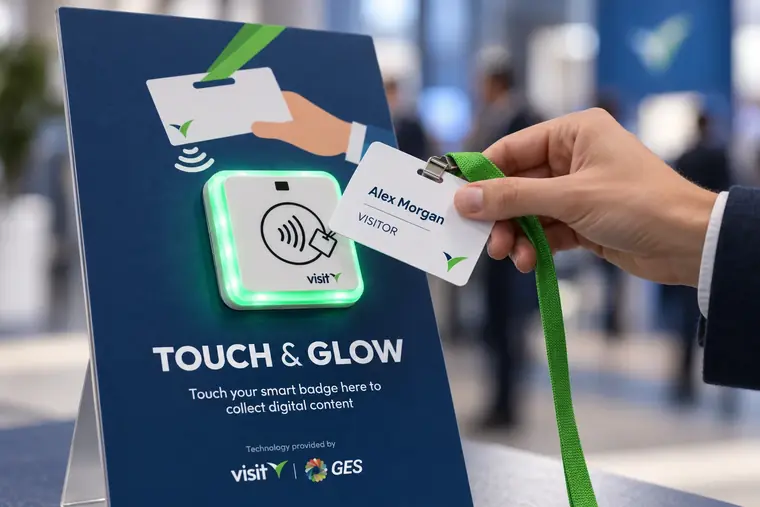
Visit's Touchpoints pilot page estimates that at a typical busy booth, 3 to 7 attendees leave without speaking to staff. NFC Touchpoints let those attendees tap their smart badge on a device at the booth to collect content, and the tap creates an opted-in lead. Scanpoints do the same with a branded QR code. In Visit Connect, badge scans, Touchpoints and Scanpoints feed one lead list per exhibitor. Read more about attendees who never talk to booth staff.
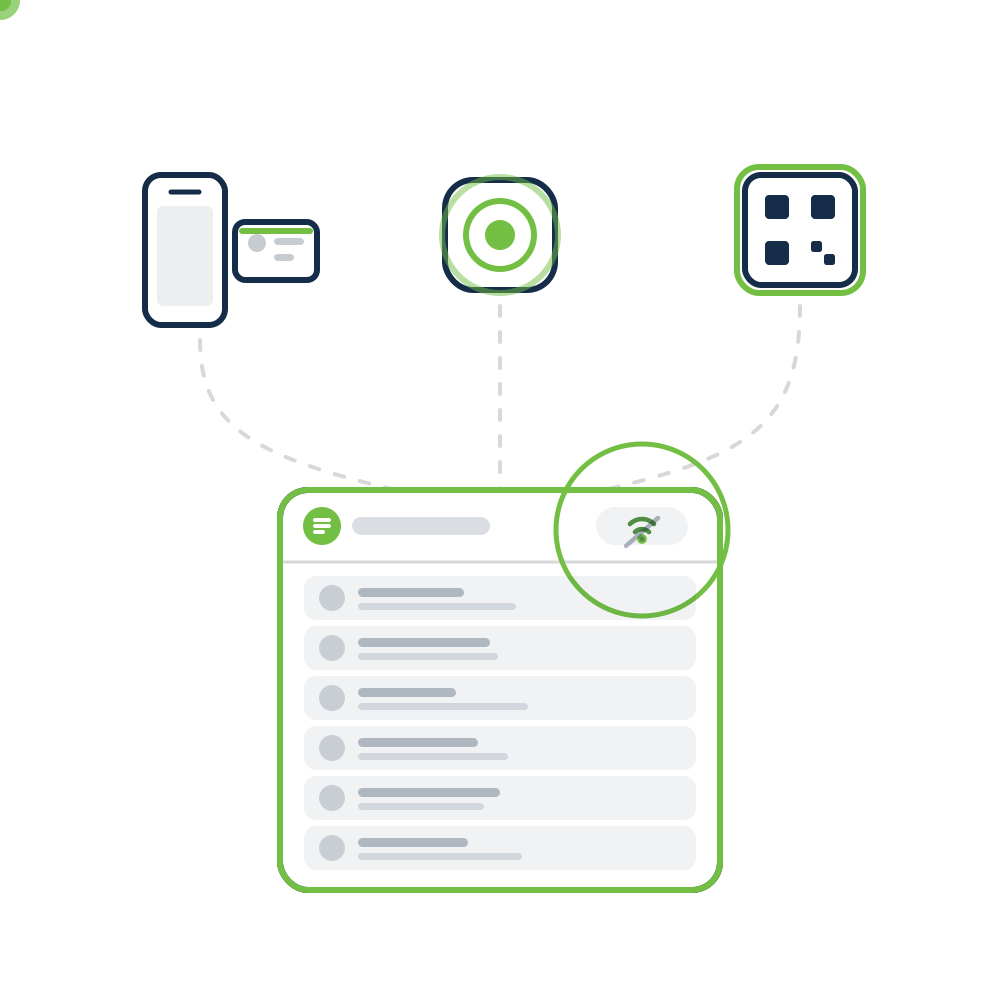
What happens to lead scanning when the venue Wi-Fi goes down?
A reliable lead retrieval service keeps scanning without a connection and syncs every lead once the device reconnects. Venue Wi-Fi and cellular data are shared by every exhibitor and attendee in the hall, so the connection is least predictable when the floor is full. Write offline capture into the contract.
"Offline supported" can mean different things. Some apps store the badge code offline but need a connection to look up the attendee's name. Others need a connection to activate a license or download qualification questions. Ask the provider what works without a connection and what does not.
Then test it yourself before signing. Run this acceptance test with the provider's demo environment and a test CRM:
- Disconnect deliberately. Put a phone in airplane mode and scan or enter five test badges. Add a rating, a note and qualification answers to each.
- Check persistence. Close and reopen the app. All five leads should still be there.
- Reconnect and reconcile. Turn the connection back on. Compare captured, synced and failed records, and check how failed syncs are retried.
- Test an existing contact. Include one attendee who already exists in the test CRM. Check whether the integration updates, duplicates or rejects the record.
- Inspect the destination. Open the CRM record. Check the lead owner, campaign or event attribution, field mapping and whether the notes arrived intact.
With Visit Connect, for example, badge scans, typed badge codes, notes, photos, voice memos and answers to qualification questions all work offline once the app has been launched. A connection is needed to activate the license, to sync custom questions from the portal and to sync leads back to it, and leads scanned offline may show incomplete details until the device reconnects.
How do leads get from the booth into the exhibitor's CRM?
Leads reach the exhibitor's CRM in one of three ways: a native integration, a file export, or an API or webhook that pushes each lead as it is captured. Exhibitors that already run CRM campaigns usually ask for a native integration; exhibitors at one or two shows a year can work from a spreadsheet export.
Ask providers to show each route with a real record:
Route
Best for
What to verify
Native CRM integration
Exhibitors on Salesforce, HubSpot, Marketo, Eloqua or Pardot
Field mapping, lead owner, campaign attribution, duplicate handling
Spreadsheet export
Small exhibitors and occasional shows
Whether notes, ratings and qualification answers are included
API or webhooks
Exhibitors with their own marketing automation
Real-time delivery, authentication, documentation
Delivery timing changes follow-up: leads that reach the CRM during the show can be contacted the same evening, while leads in a post-show file wait until someone imports it. Visit lists integrations with Salesforce, HubSpot, Marketo, Eloqua and Pardot, and its REST API and lead webhooks deliver captured leads in real time (CRM and API integrations).
How should organizers package and price lead retrieval?
A lead retrieval service reaches exhibitors through one of three packages: included in every booth, sold as an add-on, or sold directly to exhibitors by a third-party provider. Within each, providers charge per license (per user) or per device (per rented scanner). The choice affects exhibitor take-up, organizer revenue and how much lead data the organizer can see after the show.
Model
How it works
Trade-off
Included in booth fee
Every exhibitor gets at least one license
Every exhibitor can capture leads, so organizer reporting covers the whole floor; the cost sits in booth pricing
Paid add-on
Exhibitors buy licenses or upgrades through the exhibitor manual
Ancillary revenue; small exhibitors may skip it and later report "no leads"
Third-party direct
A provider sells to exhibitors under the show's badge connection
Little organizer effort; the organizer may see little or none of the lead data
Whichever model you choose, ask providers to price the same scenario: number of exhibitors, expected licenses per booth, required integrations and support hours. Request separate lines for optional services and confirm early-order deadlines, because late pricing often differs from advance pricing. Decide one more policy before launch: what you charge exhibitors who want to use their own lead app through your badge data, and what consent terms apply to them.
What onsite support and exhibitor onboarding should the service provide?
Exhibitors judge a lead retrieval service by its first hour on the show floor. Exhibitors who cannot log in at 9:00 a.m. call the organizer, not the provider, so the provider's support plan is part of the organizer's own service.
Ask how many shows the provider supports each year and what support hours it offers. Visit, for example, works on more than 1,100 exhibitions a year and offers 24/7 support. Require these in the contract:
- Pre-show onboarding: license activation emails, a short setup guide and a test badge for each exhibitor.
- Opening-day presence: staff at the service desk or on the floor during build-up and the first hours of the show.
- Clear escalation: a named contact, support hours that match show hours, and response times.
- Post-show help: support for exports and CRM syncs in the week after the show.
What should organizers report back to exhibitors?
After the show, give each exhibitor its own lead results: leads captured, the share rated or qualified, and leads by capture method (scan, NFC tap or QR). A service with an organizer dashboard produces these numbers without asking exhibitors for them. Visit's exhibitor performance reporting, for example, compares lead capture across exhibitors and events. At Easyfairs' Packaging Premiere and PCD Milan 2022, exhibitors captured more than 9,000 app leads and more than 60,000 NFC leads in three days (case study).
Frequently asked questions
What is the difference between lead retrieval and lead capture?
The terms overlap. "Lead retrieval" usually means scanning attendee badges at an in-person trade show or conference to pull registration data. "Lead capture" is broader and also covers web forms, NFC taps and QR codes.
Does GES offer lead retrieval technology?
Yes. Visit by GES is GES's event technology business. It provides registration, badging, access control and lead retrieval through the Visit Connect app. Show management chooses the lead retrieval provider for each event, so the provider can vary from show to show.
Which lead retrieval option suits small exhibitors?
An app on staff phones with a spreadsheet export and at least one license included in the booth fee. Small exhibitors rarely need a CRM integration, but they do need setup help before the show opens. For a comparison of named providers, see our guide to lead retrieval solutions.
Can exhibitors capture leads without a badge scanner?
Yes. A lead retrieval app on a phone camera reads QR codes and barcodes, and NFC Touchpoints or QR Scanpoints let attendees share their details without speaking to staff. Business card scanning or manual entry covers attendees without a badge.
Planning lead retrieval for your next show? See how Visit Connect handles badge scans, Touchpoints and Scanpoints in one lead list per exhibitor.